Description
Introducing limited-edition color models to commemorate ten years of the KORG nano series
Since the appearance of the first KORG nano series in 2008, which brought new possibilities of “mobility” to USB-MIDI controllers for PC-based music production, these simple, portable controllers have continued to play a role in every musical scene from home studios to large stages. In commemoration of their tenth anniversary, KORG is happy to announce two vibrant color models that will stand out in any DAW-based or hardware-centric studio.
The blue and yellow model is perfect for use with “KORG Gadget,” KORG’s acclaimed DAW software for iOS/Mac. The orange and green model features the look of a popular DAW software used by electronic music producers. People who already use these software titles will be right at home on these colorful controllers, and they will also be of interest to beginners, since a generous bundle of software and discount coupons is included. This enables users to start producing music immediately, right out of the box.
Enjoy an ideal music production system with these limited-edition models of the nanoSERIES2 featuring color schemes that match your DAW.

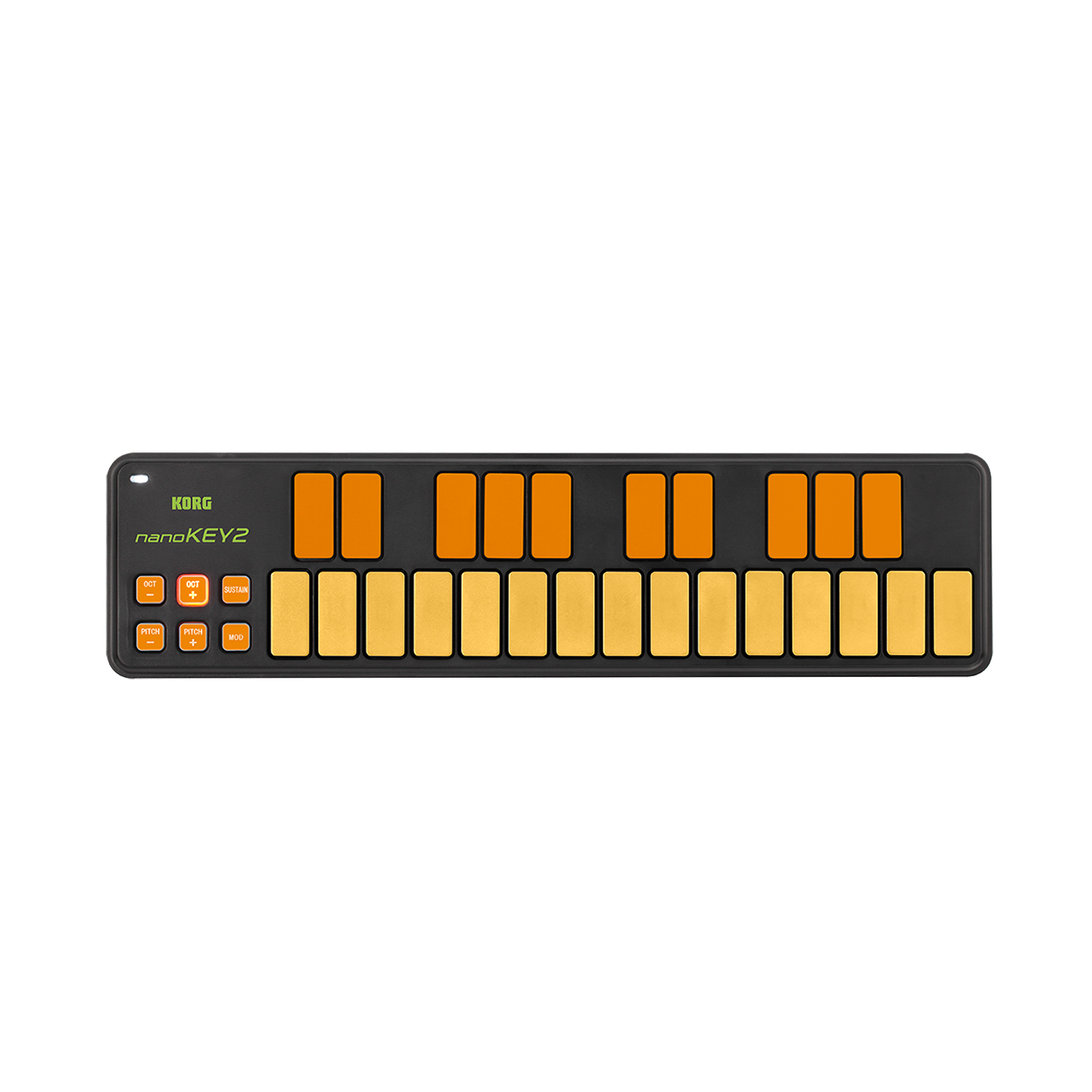
Combining a responsive and great-feeling “touch” and a thin low-profile 25-key USB-MIDI keyboard
The nanoKEY2 features an advanced and up-to-date design. By combining the great-feeling “touch” that Korg has developed for its professional MIDI keyboards and the low-profile “thinness” of recent computer keyboard innovations, the nanoKEY2 provides a superior keyboard response for its class and size. It’s designed with ample key width and plenty of space between the keys, reducing the chances of hitting a wrong note. The touch and velocity response have been carefully tuned, as only a manufacturer with Korg’s track record and know-how can, ensuring that your expressive performance will be conveyed accurately to your software.
Korg Kontrol Editor software
- The nanoKEY2 works with the “Korg Kontrol Editor” software – available for free download on the Korg website. Load it into your computer, and use it to make detailed customized settings. Choose from a total of four velocity settings: three velocity curves or fixed velocity; specify the control change messages transmitted by the modulation button and the sustain button.



Reviews
There are no reviews yet.